Allowing recipients to easily unsubscribe from your list is not only best practice, it's a requirement of using our application. In this article, we'll explain how unsubscribe links work, and how to add them to your emails.
How it works
When your campaign is sent, the unsubscribe tag in the email is replaced with a unique link for each subscriber. If a recipient clicks the unsubscribe link, our software tracks the click to the subscriber whose status is changed from active to unsubscribed.
The subscriber will also be added to your suppression list and unsubscribed from any other lists in your account, unless you have changed your list's default unsubscribe settings.
An unsubscribe link is automatically included if you're using our email builder templates. For custom coded HTML or plain text campaigns you must include our unsubscribe tags, as explained below.
If you don't include an unsubscribe tag, we'll add a footer section to the bottom of your email containing an unsubscribe link.
Plain text and email builder emails
To insert an unsubscribe link in a plain text or email builder email, use the [unsubscribe] tag.
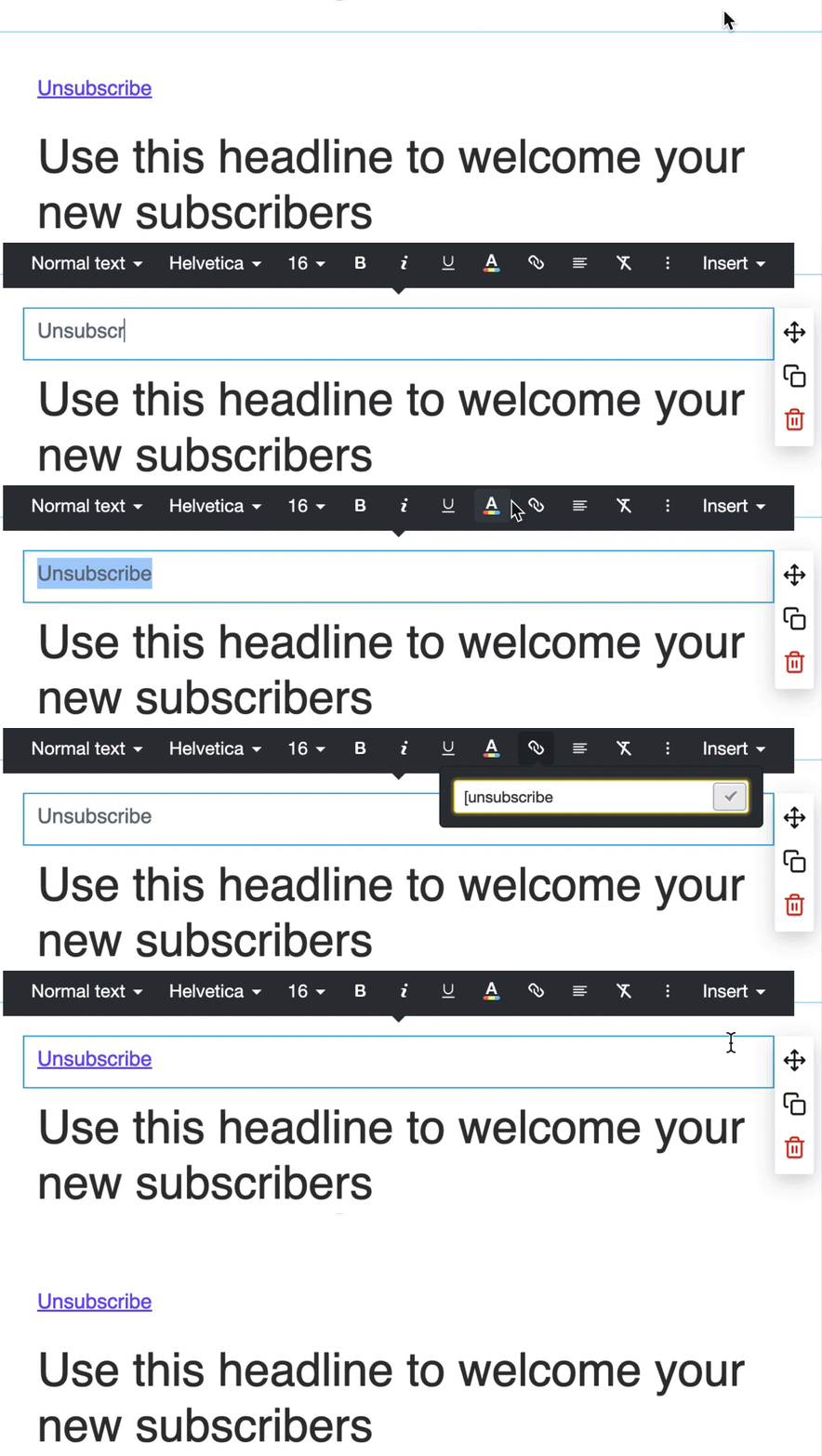
Custom coded emails
For custom coded campaigns or templates, the <unsubscribe> tag automatically generates a personalized unsubscribe link for each recipient.
You can customize the text for your unsubscribe link by including text between the opening and closing tags. For example:
<unsubscribe>Unsubscribe</unsubscribe>
If you don't write anything between the tags, the link text will be "Unsubscribe from this list".
Frequently asked questions
Below are some answers to questions we're commonly asked about how unsubscribe links work. If you have a question we haven't addressed please contact us.
What happens when a subscriber on multiple lists, unsubscribes from one list?
By default, when someone unsubscribes from one of your lists, they are automatically unsubscribed from all of your lists. But this setting can be changed for each individual list so that, if a subscriber on multiple lists unsubscribes from one mailing list, they will remain subscribed to the rest.
How does clicking unsubscribe work when an email is sent to more than one list?
In that case, regardless of the unsubscribe settings for the lists, the contact will be unsubscribed from all of the lists they are on. That's because the software can't know which list they intended to unsubscribe from.
Can someone who has unsubscribed, resubscribe themselves?
Yes, the owner of the email address can resubscribe at any time through a signup form connected to your list.
Why am I getting an import error when trying to import a custom template?
If you are receiving a "No unsubscribe link" error after importing a custom coded campaign or template, make sure the <unsubscribe> tag is not nested within editable elements such as <singleline>, <multiline>, <layout>, or <repeater>. There must be at least one, non-editable unsubscribe link in an email.
What about the Google and Yahoo sender requirements "one-click unsubscribe"?
Email messages must support one-click unsubscribe, as well as including a clearly visible unsubscribe link in the message body. We automatically include the necessary "one-click unsubscribe" information in the email headers, for example:
List-Unsubscribe-Post: List-Unsubscribe=One-Click
List-Unsubscribe: <https://example.com/unsubscribe/example>, <mailto:unsubscribe-example@example.com?subject=Unsubscribe>
There is nothing you need to do for the "one-click unsubscribe" requirement. It is automatically included in the email headers for you.