Permission required to use this feature: create campaigns
When you create a new campaign or journey email, the content editor that opens is determined by the email template you choose.
If your saved template is an email builder template, it will open in the email builder. If you're working with a custom coded template, it will open in the custom template content editor, shown in the image below.
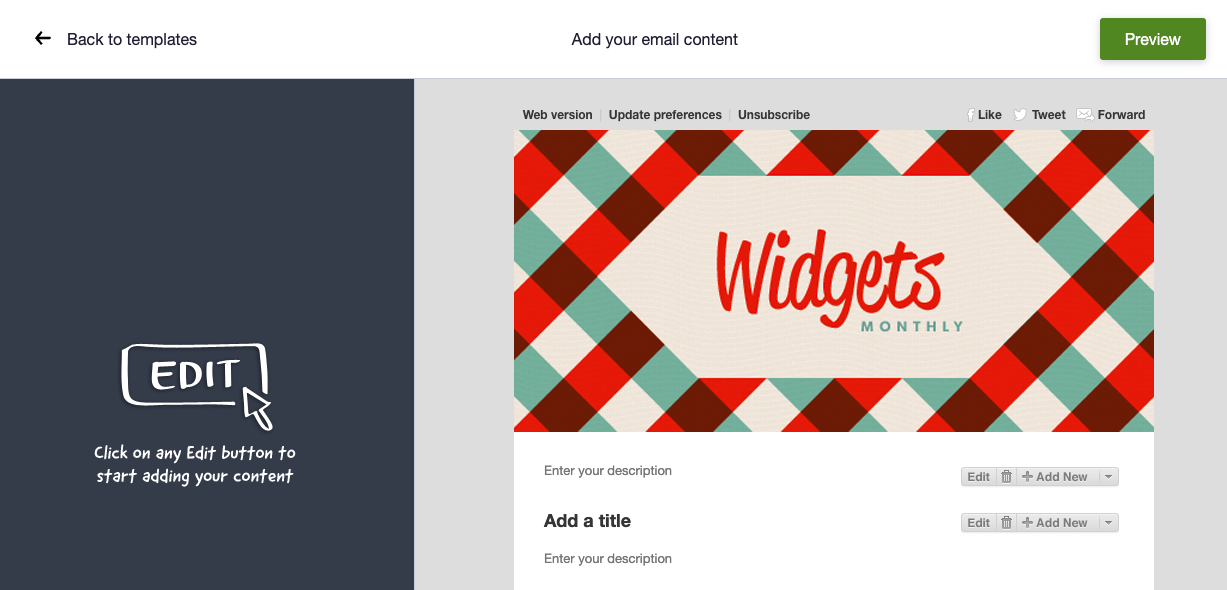
Custom templates utilize a basic content editor, compared to the email builder, because most of your unique styles and branding are hard coded into the template HTML/CSS.
In the custom template content editor, text and images are added by clicking the Edit and Add New buttons positioned above each editable section of the template.
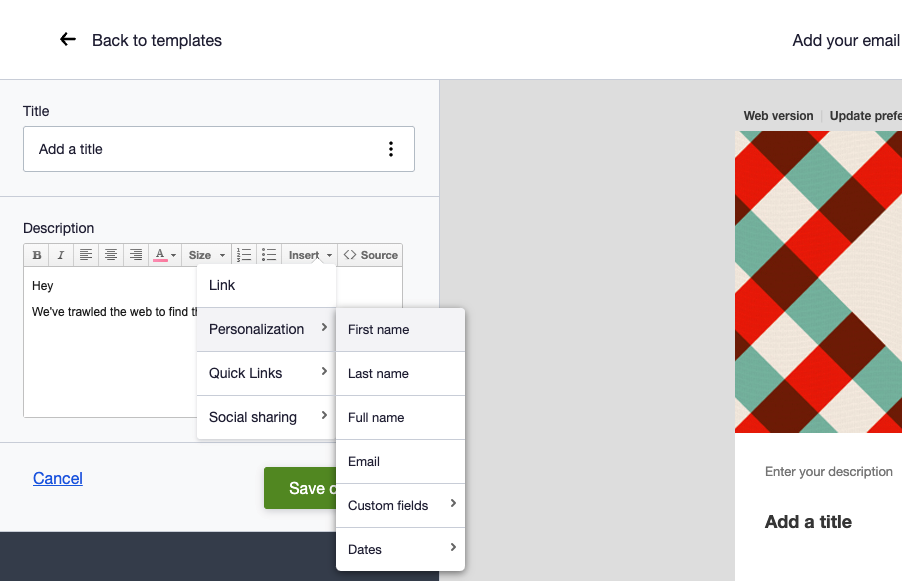
You can change text color and size, and you also have access to edit the source code for a section of copy. Click Source in the editing toolbar to switch views.
From the Insert menu you can add personalization tags, or any custom fields associated with your subscriber list.